Marketing for Restaurants: CRM, Loyalty, Promotions, and Campaigns with AI
9 minutes
Showing the menu is fine. Making the diner return is what increases revenue. The IAMenu Marketing Center brings together the three growth levers in one panel: capturing diner data (CRM), rewarding them for returning (loyalty), and giving them reasons to come back (promotions and campaigns) — with Gaston as your AI community manager.
Simple formula: Sales = Ticket x Frequency x Customers. Each marketing tab pushes one of the three.
What You Will Learn in This Section
- Capture customers from your menu (with GDPR consent)
- Manage your diner CRM: frequent, dormant, new
- Create the digital stamp card (loyalty)
- Create promotions and coupons (2x1, % discount, free product)
- Prepare campaigns with Gaston and measure the return through coupons
- Generate marketing images with AI (with your logo and colors)
- Activate the AI Waiter for your diners
Step 1: The Capture Hook
Go to Marketing in the side menu. In the Customers tab, you will see the block "How to capture customers":
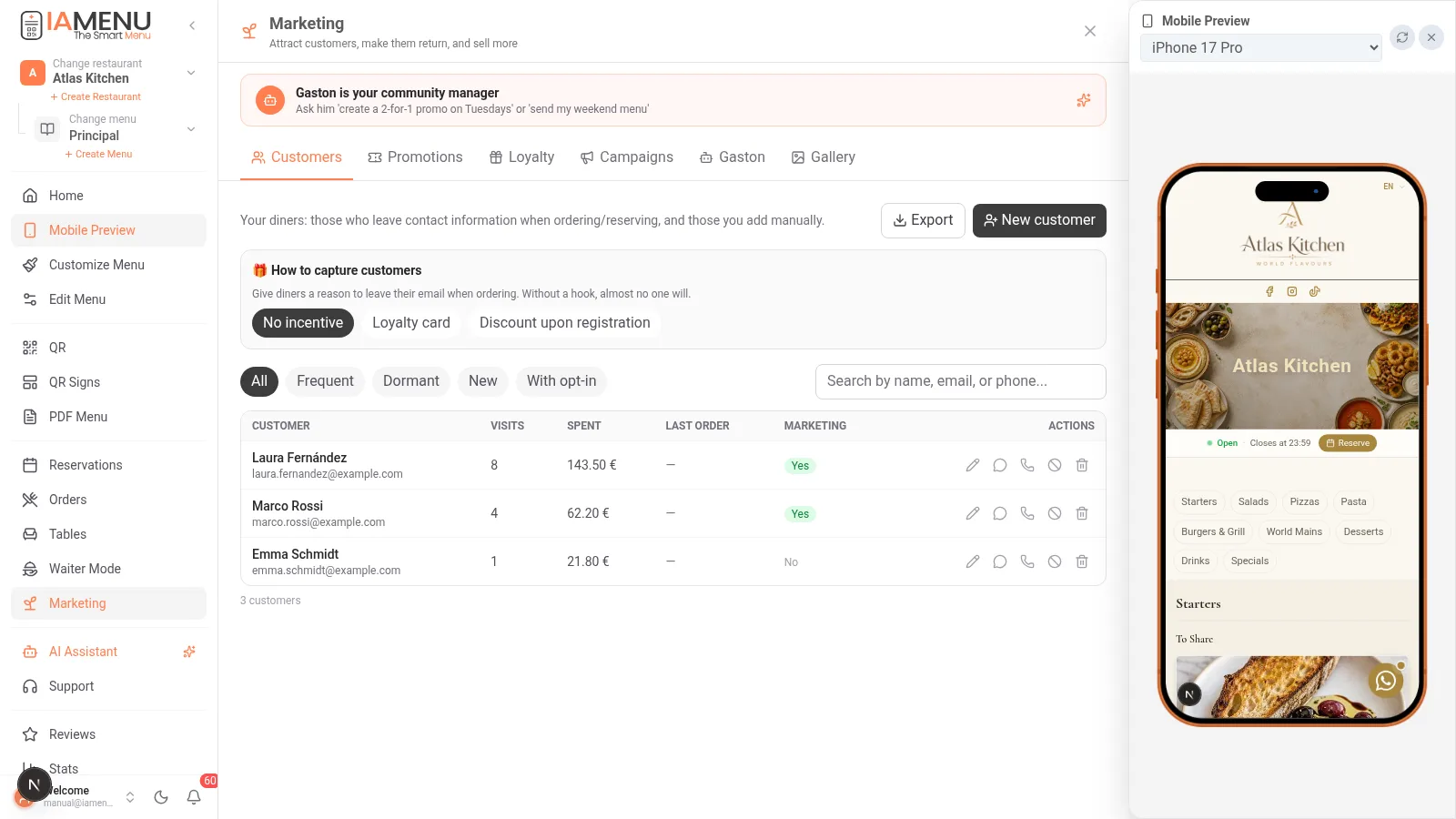
| Hook | What the diner sees when ordering | When to use it |
|---|---|---|
| No incentive | Field "your email (optional, for offers)" | If you don't want to reward yet |
| Stamp card | "Leave your email and earn stamps: 5 visits = reward" | The most effective for return |
| Discount for signing up | "Leave your email and get X% today" | To quickly start the database |
Everything is GDPR opt-in: the diner checks the consent box and can unsubscribe with one click from any communication. Without consent, no marketing — IAMenu respects this at the system level.
Step 2: Your Diner CRM
Every customer who orders, reserves, or is added manually lives in your CRM with their history:
- Visits and total spending (LTV): automatically calculated with their orders
- Automatic segments: Frequent, Dormant (they haven't come in weeks), New, With opt-in
- Complete profile: reservations, no-shows, orders, stamps, and timeline
- Export CSV: your database is yours, take it whenever you want
- Quick actions per row: edit, WhatsApp, call, marketing unsubscribe
Pro Tip
The "Dormant" segment is dormant money: these are customers who already know you. A coupon campaign directed only at them is the marketing action with the best return you can take this month.
Step 3: Loyalty — the Digital Stamp Card
In the Loyalty tab, you activate the stamp program without apps or cards:
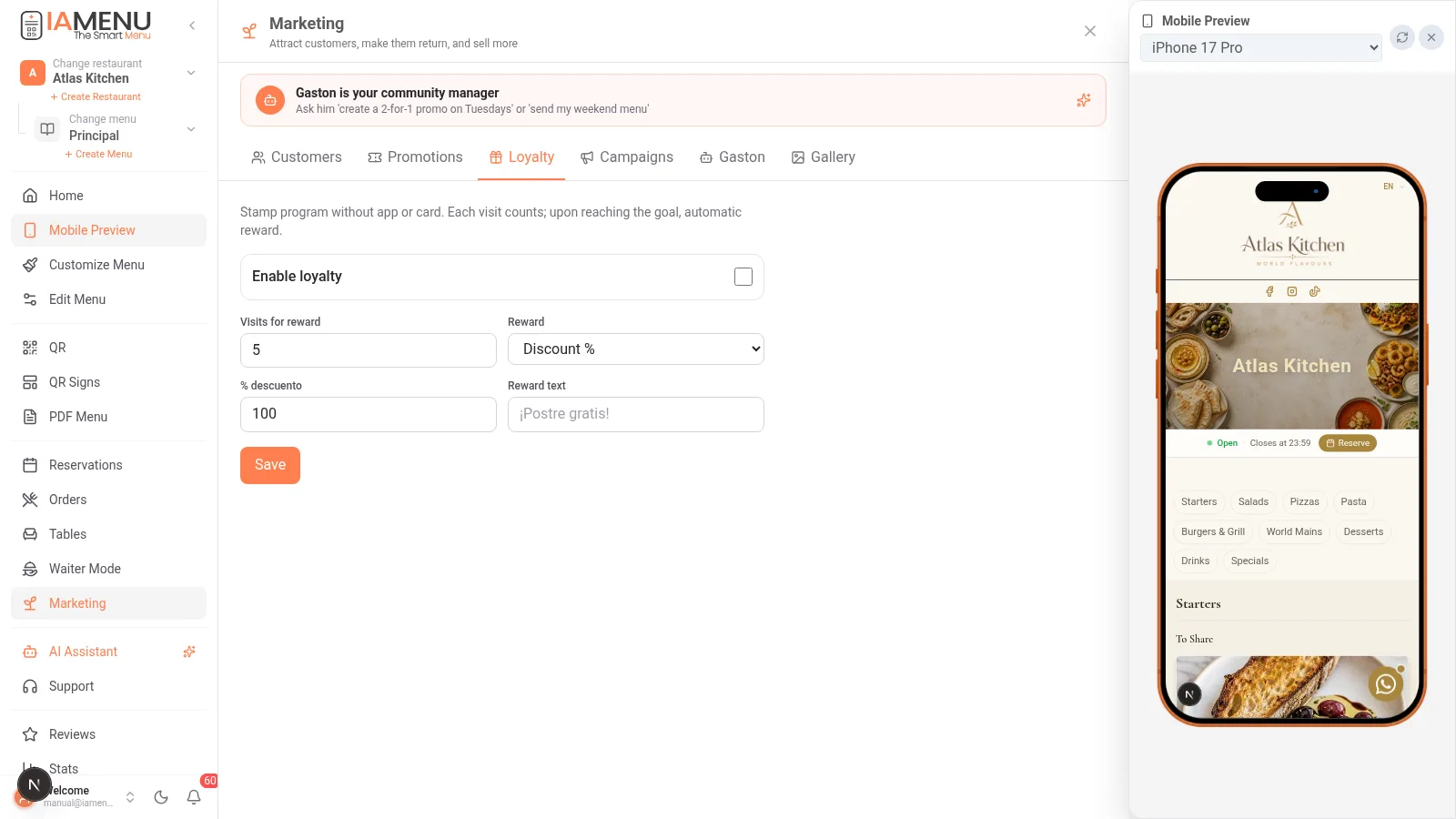
- Visits per reward: for example, 5 orders
- Reward: % discount, fixed amount, or free product
- The identified diner earns a stamp with each order; upon completion, the reward is generated automatically, and they receive their coupon
No plastic, no ink stamps, no disputes: the system keeps track.
Step 4: Promotions and Coupons
In the Promotions tab, you create offers with a code:
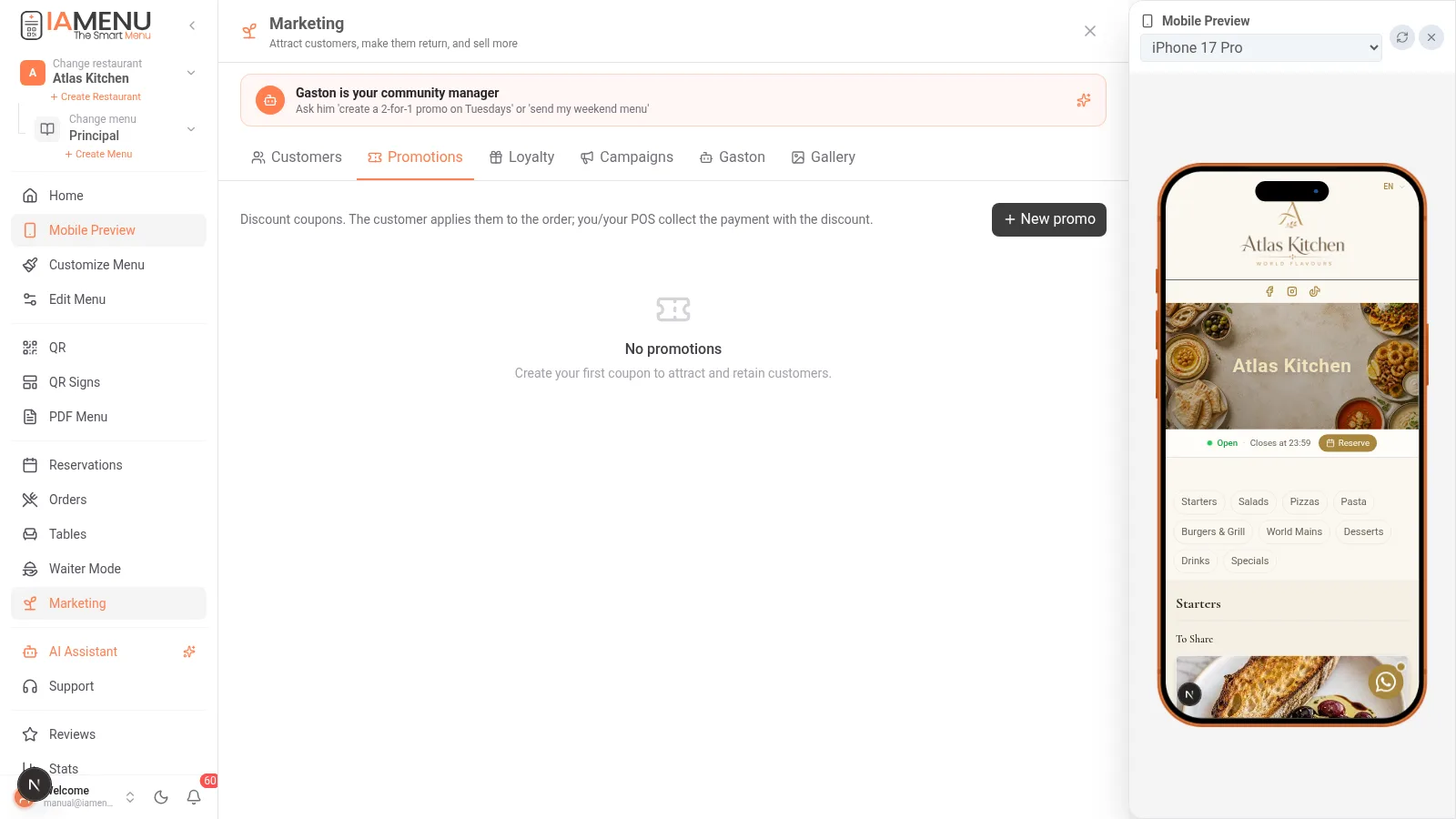
- Types: % discount, fixed amount, or free product
- By days and hours: "only on Tuesdays", "happy hour from 6 to 8" — the promo activates and deactivates automatically
- Limits: total uses, first order, minimum amount
- The diner enters the code in their cart, and the discount is applied to the order in an informative way (the final charge remains from your POS)
The redemption counter of each coupon is your success meter: you don’t need to ask anyone if the promo worked.
Step 5: Campaigns — Your Marketing Notebook
The Campaigns tab functions as a smart notebook. IAMenu does not send mass emails (that would poorly protect your sender reputation); instead, it prepares everything for you:
- Draft with Gaston: "prepare a campaign to recover the dormant ones with a 15%"
- Gaston writes the message, creates the associated coupon, and the image for the post
- Export the list of the chosen segment (only with opt-in) in CSV
- Send it with your usual tool: WhatsApp, Gmail, Mailchimp, Instagram...
- Measure the real return: the coupon redemptions tell you how many came back and how much they spent
Step 6: Gaston, Your Community Manager
In the Gaston tab, you configure your brand's tone and request content:
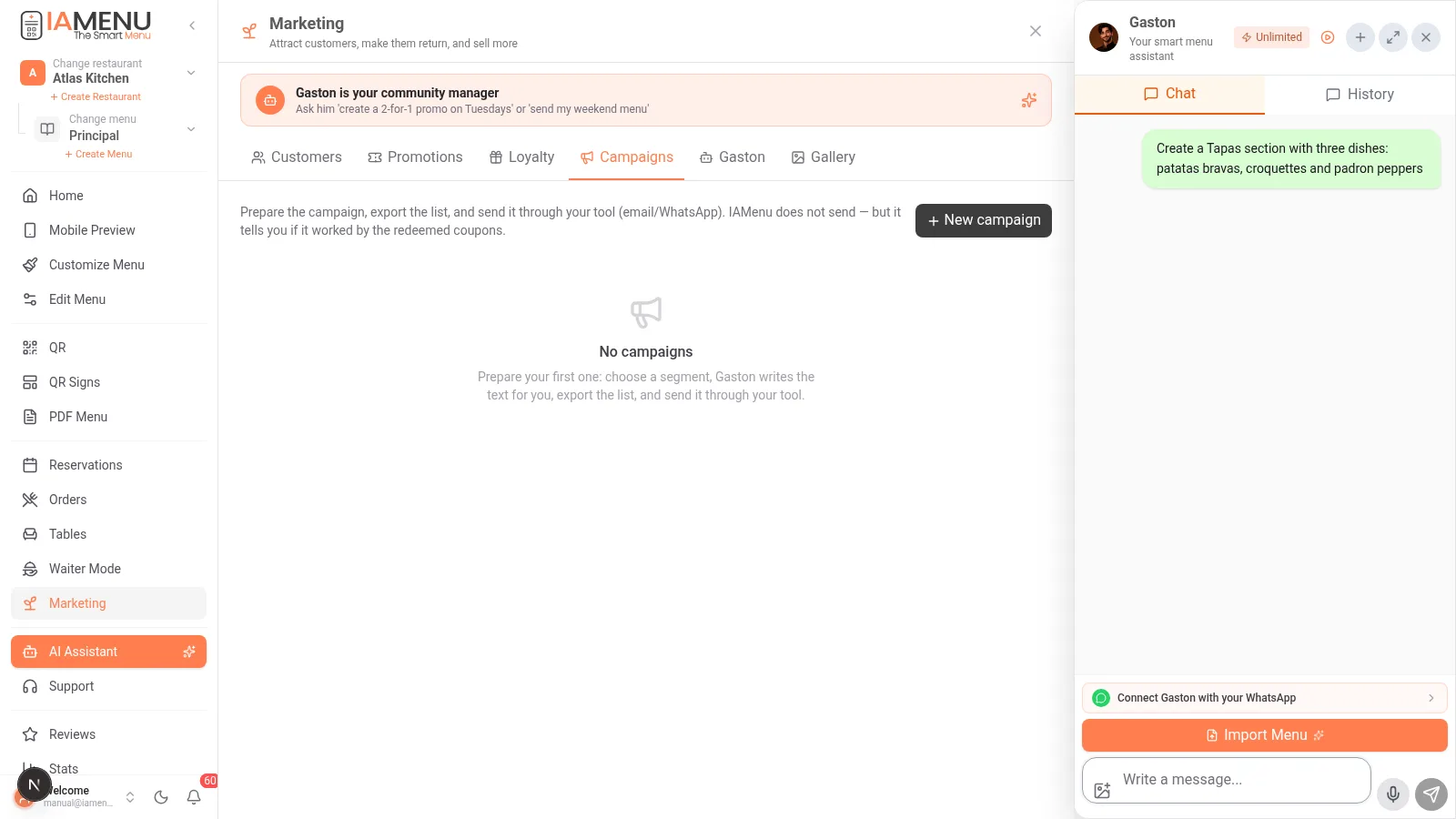
- "Create a 2x1 promo on pizzas on Tuesdays" → creates the actual promotion, with its code
- "Make me a post for Instagram about the weekend menu" → generates a professional marketing image using your real logo and the color palette of your menu (not generic templates)
- "How am I doing this month?" → summary of visits, orders, and new customers
The generated images remain in the Gallery tab, ready to download and publish.
Step 7: AI Waiter (Premium)
The other side of Gaston looks at your diners: a chat within your digital menu that...
- Answers questions instantly: "Which dishes are gluten-free?", "What do you recommend for under €15?"
- Adds dishes to the cart from the chat itself
- Speaks the customer's language and knows YOUR real menu (prices, allergens, availability)
It activates in Marketing → Gaston → switch "AI Waiter" (Premium plan; try it in your trial).
What Plan Do I Need?
| Function | Starter | Professional | Premium |
|---|---|---|---|
| CRM + opt-in capture | — | ✅ | ✅ |
| Loyalty (stamps) | — | ✅ | ✅ |
| Promotions and coupons | — | ✅ | ✅ |
| Campaigns + Gaston marketer | — | — | ✅ |
| AI Waiter | — | — | ✅ |
(In the 14-day trial, EVERYTHING is unlocked. The exact limits are editable, and you can always see them in Billing → "What your plan includes".)
Related Tutorials
- QR Orders — the main source of customers for your CRM
- Reservations — each reservation feeds the customer profile
- Gaston — everything your AI assistant can do
- Reviews — turn happy diners into Google reviews
Ready for Your Customers to Come Back on Their Own?
Create your account and review the current plans and terms.