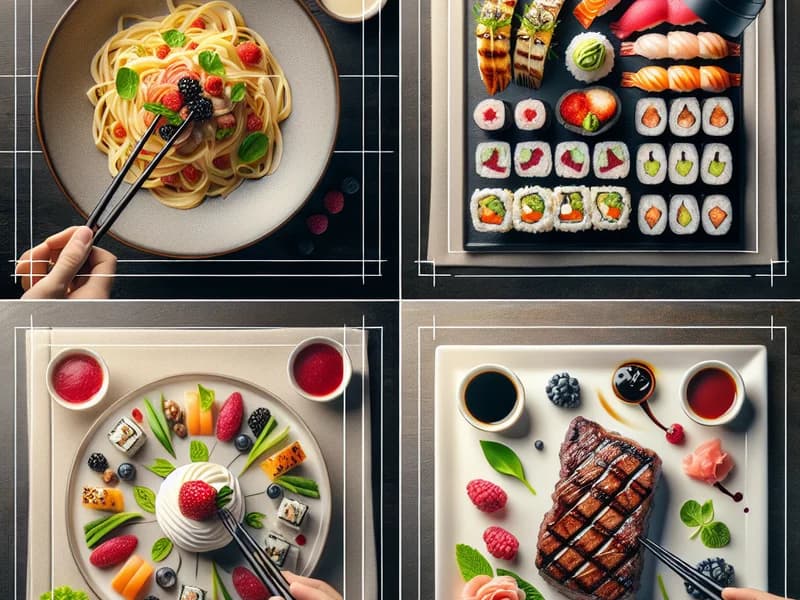
AI Food Images Connected to Your Restaurant Menu
Generate food-image options from the dish information already in IAMenu. Review ingredients, portion and plating against the food you actually serve, then publish only an approved image.
Why Photos Matter on a Digital Menu
Images help guests understand presentation and distinguish dishes, but the useful image is one that represents the food the restaurant actually serves.
IAMenu keeps image generation next to the product record, so staff can work from the approved dish name, description and ingredients instead of starting in a disconnected image tool.
Generative imagery can invent details. Every result should be checked for ingredients, portion, garnish and plating before it reaches the public menu.
The Problem: Professional Food Photography Is Expensive
Real photography remains the best documentary representation of a dish. AI generation is an additional option for visual gaps, early concepts or a consistent direction—not proof of the recipe or the plate a guest will receive.
The Solution: GPT Image Built Into Your Menu
Generate visual options directly inside IAMenu, then review them against the real dish before publishing.
Describe your dish or select it from the menu
Type the dish name and a brief description. The AI uses gastronomic context: ingredients, category, cuisine type. The more detail you provide, the better the result.
GPT Image prepares a visual option
IAMenu sends the restaurant-controlled description through its image-generation service and returns a visual option for review.
Review, edit, or regenerate with one click
Compare ingredients, portion, plating and misleading details. Regenerate, change the description or upload a real photograph when the result is not suitable.
The photo is automatically assigned to the dish
Once you are satisfied, the image is automatically optimized (800x800 + 150x150 thumbnail), uploaded to your gallery, and assigned to the product. Your customers will see it immediately on the digital menu.
Generation time varies with service conditions. The important boundary is unchanged: the restaurant decides what is accurate enough to publish.
Example Image Workflows
Pizzeria Filling Visual Gaps
The team generates options for pizzas without photography, checks toppings and presentation, and keeps real photos for dishes where exact appearance matters most.
Hotel Keeping a Consistent Direction
The food-and-beverage team uses consistent prompts across room service and restaurant menus, then reviews every image against the relevant outlet and dish.
Seasonal Menu Updates
When a seasonal dish is added, staff can generate an option, use an existing real photograph or schedule a new shoot without changing menu systems.
Fast Food: Complete Visual Menu
A burger restaurant reviews generated options for consistent framing while rejecting any result that adds toppings or portion sizes not served.
Catering: Images for Proposals
A catering team uses clearly reviewed concept imagery for proposals and replaces it with real event photography whenever documentary accuracy is required.
Gallery: Before and After
Compare the difference between a dish with no image and the result with GPT Image integrated into IAMenu.
Margherita Pizza
Mushroom Risotto
New York Cheesecake
Grilled Salmon
Caesar Salad
AI-generated images are optimized for digital menus: clean backgrounds, professional lighting, compositions that make people hungry. Each image is generated in high-end food photography style.
IAMenu by the Numbers
Key Features of AI Image Generation
Professional Food Photography Style
GPT Image is configured to generate images with studio lighting, attractive composition, and fine dining aesthetics. These are not generic photos: they are optimized for restaurant menus.
Smart Gastronomic Context
The AI uses the dish name, description, category, and cuisine type to generate contextually accurate images. A "Paella Valenciana" looks different from a "Pad Thai".
Automatic Optimization
Every image is processed with Sharp: main version (800x800) for detail and thumbnail (150x150) for fast navigation. Compressed JPEG for instant mobile loading.
Gallery of Up to 5 Images per Dish
Do not limit yourself to one photo. Each product can have up to 5 images in its gallery, letting you showcase different angles, plating, or variations of the same dish.
Integrated with the AI assistant (chat)
You can ask the AI assistant: "Generate images for all products in the Pizza category." The AI assistant generates in batches, asking if you want to continue every 5 images.
Review and Regeneration
Adjust the description, regenerate within the applicable plan limits, or upload a real photograph. Check the pricing page for current allowances.
Frequently Asked Questions
What is the quality of AI-generated images?
How much does it cost to generate AI images?
Can I edit images after generating them?
Are the images unique or can they be repeated?
Who owns the copyright of the generated images?
Do they work well for all types of cuisine?
How long does it take to generate an image?
Transform Your Menu with Professional AI Photos
Generate with product context, compare the result with the real dish and publish only imagery your restaurant approves.
Start Free 14-Day TrialNo credit card required. AI image generation included.