Digital Menu for Cafés and Bakeries That Sells More Every Day
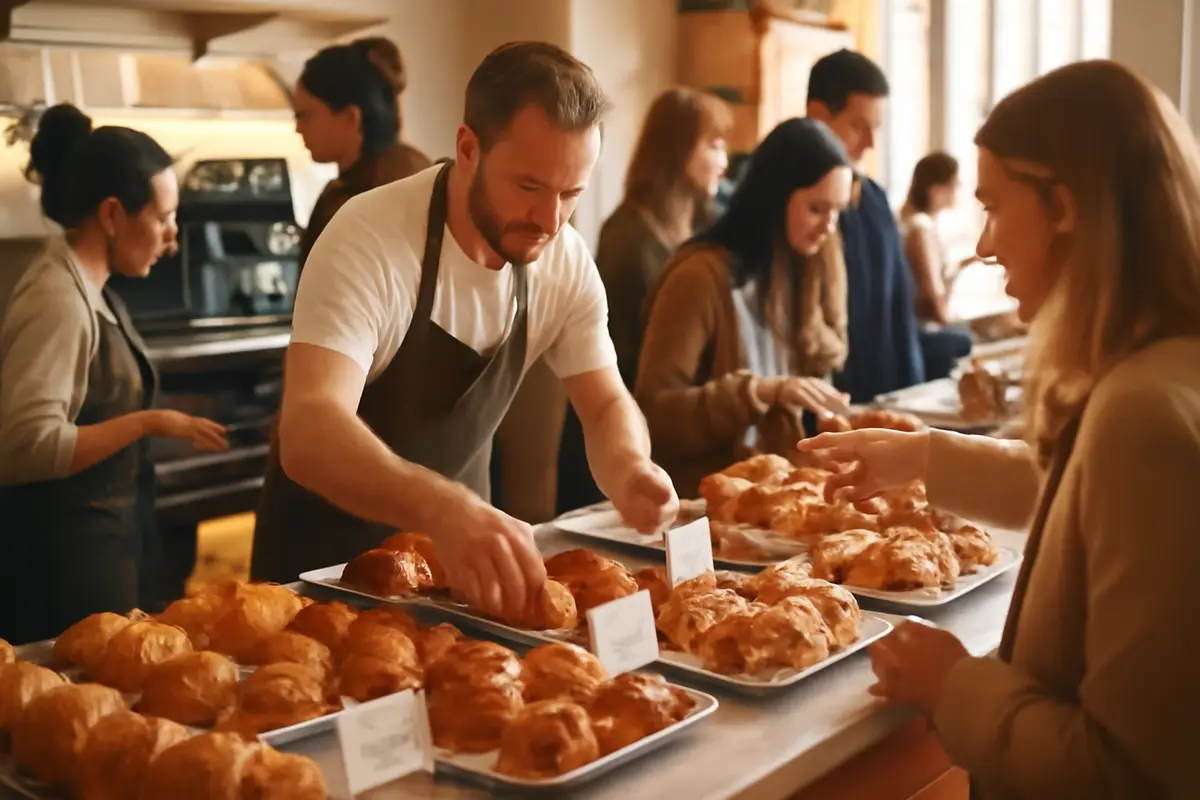
A digital menu for cafes and bakeries is not implemented to "modernize" the establishment, but to solve a very specific problem: every morning products change, references run out, there are customers with allergen questions, and the team repeats the same explanations while customers are in line. In a business with a low average ticket and high turnover, losing 20 seconds per order can mean several fewer sales between 8:30 and 10:30. And when you also sell on impulse —stuffed croissants, cinnamon rolls, cakes, brunch specials— the way you present the product matters almost as much as the product itself.
Why a cafe needs more agility than a pretty menu
In a cafe or bakery, the menu is not static. Today there is mortadella focaccia, tomorrow there isn't. At 9:15, there are three pain au chocolat left; by 11:40, they are gone. During brunch, a Benedict egg changes based on availability, and drink extras go up or down depending on the season. A printed menu becomes outdated in a matter of hours.
That’s where the QR menu stops being an accessory and becomes an operational tool. It allows you to update, hide, and reorder products without redoing the entire menu. If a product runs out, it disappears or is marked as unavailable. If you want to push a premium toast with a better margin, you move it to the top of the category.
A commonly overlooked fact
In a venue that does 120 to 180 tickets a day, avoiding just 10 mistakes or repetitive conversations per shift already frees up time at the counter. It may not seem like much, but accumulated over a month, it can mean several operational hours recovered.
Moreover, in this type of business, the purchasing decision is quick. The customer doesn’t want to read a treatise; they want to see clearly what’s available, how much it costs, if it contains gluten or nuts, and if the photo looks appealing. That’s why it’s important to work on the digital menu with a sales logic, not just as a PDF uploaded to a screen.
Daily product rotation: the big use case in bakeries and brunch
The biggest practical advantage of a digital menu in a bakery is the daily rotation. Not every day the same items come out, not all preparations last the same amount of time, and not everything comes with the same margin. An agile system allows you to reflect the reality of the display case in real time.
- Hide an out-of-stock product without touching the rest of the menu.
- Create a “freshly made” category to boost early sales.
- Highlight products with a short shelf life before losing them.
- Reorder by time slot: breakfast, mid-morning, brunch, snack.
- Upload a special of the day in less than 5 minutes.
This has a direct effect on sales and perception. When the customer sees exactly what is available, frustration decreases. When staff don’t have to say “that’s already gone” five times in a row, the line flows better.
Realistic operation example: a cafe with 35 references among coffee, pastries, toasts, sandwiches, and brunch can change 8 to 12 items throughout the day. Doing that on paper involves crossing out items, makeshift boards, or verbal explanations. Digitally, it takes just a few clicks.
If you also integrate clear categories and a clean visual structure, the customer doesn’t “browse”; they decide. You can see structural ideas in the features of the digital menu and adapt them to a venue with high breakfast volume and fast sales.
Allergens in pastries: less risk, fewer repeated questions
Pastries and bakery items concentrate a common complexity: gluten, milk, eggs, nuts, soy, sesame, and traces. In many venues, the information exists but is scattered among internal sheets, small labels, and what the floor team remembers. That doesn’t scale well during peak hours.
A well-configured digital menu allows you to display information visibly and uniformly for each product. It doesn’t replace internal protocols, but it significantly improves customer inquiries and reduces communication errors.
What matters is not “having allergens,” but making them understood
Putting an icon without context is of little use. What’s useful is to indicate if a product contains an allergen, if it may have traces, and, when applicable, if there is an alternative. This avoids ambiguous questions like “Does this have anything?” and improves confidence when ordering.
For small teams, this is especially valuable. If between 8:00 and 11:00 you answer 25 times whether a cookie contains nuts or if the cinnamon roll contains milk, you’re using sales time on a repetitive task. With a good digital sheet, the customer arrives at the register with their question resolved or much more narrowed down.
If you want to dive deeper into how to present this information clearly, check out the allergen guide and also the best compliance practices for food service businesses.
Photos that sell: when the display case is not enough
Many venues think that the display case is enough. Not always. The display case works for those who are close to the counter and know what they are looking at. But a photo in the digital menu helps sell to those who arrive in a hurry, are seated at the back, or don’t quite understand the difference between a tartlet, a babka, or a special toast.
Photos should not be used indiscriminately. They should focus on products with high margins, novelty, or impulse. A good image of a stuffed cruffin, a slice of cheesecake, or a complete brunch can sway the decision faster than a long text.
What tends to work best: consistent photos, clean backgrounds, similar lighting, similar framing, and real portions. What works worst is mixing dark, old, or different-sized images, as it conveys disorder and reduces trust.
In cafes, moreover, the photo sells upgrades. A premium flat white, a hot focaccia, or a brunch with juice and coffee are better understood when the customer visualizes them. This can push the average ticket from €6.80 to €8.10 without changing the workflow, simply by improving the presentation.
How to raise the average ticket with combos, extras, and anchor products
When the ticket is low, it’s not necessary to sell much more; it’s necessary to sell better. The digital menu facilitates a very useful strategy in cafes and brunch: using well-presented combos and extras to raise the average without creating a sense of aggressive selling.
- Breakfast: coffee + croissant for €4.90.
- Brunch: plate + coffee + juice for €13.50.
- Extras: plant-based drink for €0.30 to €0.60.
- Toppings: avocado, salmon, pistachio cream, whipped cream, ice cream.
- Visual upsell: “add a slice of banana bread for €1.80.”
The key is not to hide these options at the end. They should appear where the decision happens: next to the main product or as a recommendation block. At that point, a well-designed QR menu helps more than a printed sheet loaded with text.
A small improvement can move quite a margin
If a venue does 140 daily tickets and manages to add just €0.70 on average through extras and combos, we’re talking about €98 more per day. In 26 days of operation, that’s €2,548 monthly before optimizing more things.
For this type of strategy, it’s advisable to review how to visually order the menu and which modules help highlight recommendations. You can see it in use cases by business type or compare approaches in this guide on digital menus with AI.
QR menu for queue, counter, and table: three different moments
A cafe does not behave the same at all its touchpoints. The customer waiting in line doesn’t look the same as the one already seated or the one who just walks in to take away. That’s why the digital menu must address three different moments.
In line, the goal is to decide quickly. It’s advisable to show simple categories, top-selling products, and clear prices. At the table, it works better to expand on details, allergens, ingredients, and extras. For take away, speed and clarity of availability weigh more.
Recommended structure: 1) Coffee and drinks, 2) pastries of the day, 3) toasts and savory items, 4) brunch, 5) cakes and desserts, 6) extras. If there are too many subcategories, the customer takes longer and buys worse.
This approach also helps distribute the load between the team and the customer. The clearer the order arrives at the counter, the fewer follow-up questions there are. And in venues with one or two people serving, that difference is noticeable right away.
When the printed menu falls short in bakeries with high turnover
The printed menu still has a place in some venues, but in cafes and bakeries with live products, it tends to become rigid very quickly. Changing prices, removing items, or introducing weekly specials means reprinting, patching, or explaining changes verbally.
That cost is not just printing. It’s also a cost of coordination, errors, and image. A menu with crossed-out items or a makeshift board does not convey the same feeling as a clear, updated menu that is consistent with the display case.
Quick comparison
- Printed menu: low cost at the beginning, high with frequent changes.
- Manual board: useful for specials, limited for allergens and photos.
- Digital menu: stable cost, immediate updates, and better detail.
The most realistic option in many cases is not to choose just one option, but to combine. A board for a quick claim, a display case for visual impulse, and a QR menu for complete detail. Tools like iaMenu fit well here because they allow daily changes without having to redo the entire menu.
What a good digital menu for cafes and bakeries should include
It’s not enough to just “have a QR code.” For it to really work in a breakfast or brunch venue, the menu must respond to how people buy. Here are the pieces that add the most value:
- Short and obvious categories: no confusing menus with 14 sections.
- Photos on key products: not on everything, but on what sells more or better.
- Visible allergens: without forcing the customer to ask every time.
- Real-time availability: to avoid frustration and errors.
- Extras and customization: plant-based milk, toppings, sides, drinks.
- Featured products: new, higher margin, or recommended.
It’s also advisable to review the experience from a real mobile perspective, not from a desktop. Most customers will consult the menu with one hand, in a hurry, and on a small screen. If viewing a brunch requires too much scrolling, you’re losing effectiveness.
If you are evaluating investment and return, you can check the plans and costs or see how it connects with the venue's operations in the integrations and connection section.
Practical implementation: how to do it without complicating the team
Implementation should be simple. If the team needs 40 minutes a day to maintain the menu, it’s not a solution; it’s a new burden. What’s reasonable in cafes is to set up a stable base and leave only quick changes for day-to-day.
A practical way to do this is:
- Create a base menu with drinks, savory items, and recurring products.
- Prepare a “daily” category for pastries and specials.
- Upload allergen sheets once and reuse them.
- Define 10-15 good photos before opening or in a specific session.
- Assign one person responsible for stock changes per shift.
Estimated work time: initial setup of 2 to 4 hours for a well-made average menu, and then daily maintenance of 5 to 10 minutes split between opening and mid-morning. That ratio usually compensates in busy venues.
When the system is well set up, the benefit is not just aesthetic. It’s noticeable in fewer repeated explanations, fewer errors due to out-of-stock products, and more capacity to push profitable items. In businesses where speed is key, that is worth much more than a “pretty” menu.
Frequently asked questions
If you are considering implementing a QR menu in a cafe, bakery, or brunch venue, here are the most common questions before making the decision.
What advantages does a digital menu offer for cafes and bakeries?
It allows you to update daily products in minutes, show photos that help sell, and detail allergens without reprinting menus. In businesses with high turnover and low average tickets, this reduces errors and speeds up the purchasing decision.
Does a QR menu work well in venues with many out-of-stock products?
Yes, because you can hide or pause out-of-stock products instantly, which is very useful for pastries, portioned cakes, or brunch specials. You avoid orders that cannot be served later and reduce friction at the counter.
How does it help with allergens in bakery and pastry?
A digital menu allows you to identify gluten, milk, eggs, nuts, soy, or sesame visibly and orderly. This way, the customer consults before ordering, and the team avoids repeating the same explanation dozens of times a day.
Do photos really increase sales in cafes?
Yes, especially for visual products like stuffed croissants, cakes, toasts, or bowls. A good photo increases interest, improves conversion on impulse products, and helps sell premium options without relying solely on the display case.
Is it suitable for small cafes with an average ticket of €4 to €12?
Yes, precisely because every second in line matters and the volume of operations is usually high. If the menu reduces 15 or 20 seconds per order during peak hours, the operational impact is very tangible.
How long does it take to update a digital menu with daily products?
Normally, between 1 and 5 minutes if the tool is well designed. This allows you to upload a freshly made cake, remove an out-of-stock bagel, or change the brunch combo without relying on printing or external design.
Can it show breakfast, brunch, and extras combos?
Yes, and that’s one of its best features for raising the average ticket. You can group coffee + pastry, brunch + drink, or add extras like plant-based milk, toppings, or juice for a clear supplement.
Is it better than a printed menu in a cafe?
It doesn’t always completely replace it, but it does improve flexibility, update costs, and clarity. In businesses with daily changes, the printed menu becomes obsolete very quickly and forces manual solutions that are not scalable.
What should a good digital menu for a brunch venue include?
It should have clear categories, consistent photos, allergen information, customization options, and featured products. It’s also advisable to order the most profitable and in-demand items first in breakfast and midday slots.
In summary, a well-thought-out digital menu fits especially well in cafes, bakeries, and brunch venues because it addresses exactly what penalizes them the most: daily changes, allergen questions, out-of-stock products, and poorly explained impulse sales. If you want to see how to implement it in your operations, take a look at the key features and other practical resources on the site.