OWNER'S WHATSAPP · AI ASSISTANT
Your whole restaurant, in one WhatsApp chat.
One message to change a dish. No need to open your computer.
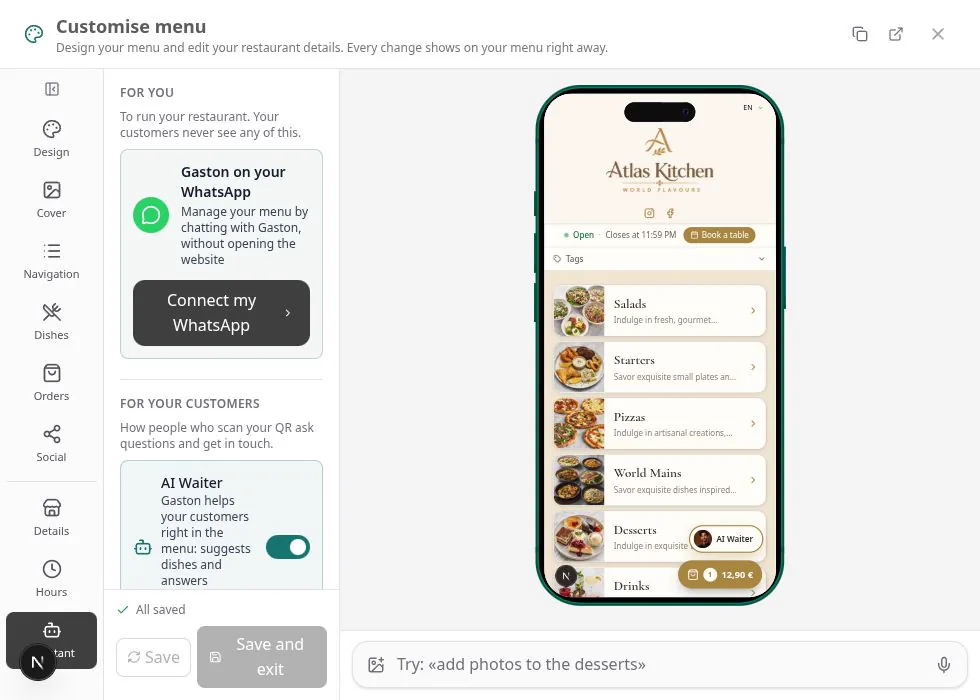
Type a message, send a voice note or share a photo with IAMenu’s AI assistant. Ask it to change something on your menu, review the suggestion and confirm when needed.
Private channel for owners and authorised managers; access depends on your plan.
You
Change the price of the lasagne to €11.
AI assistant
Review this change before applying it:
Lasagne · New price: €11
Confirm change · exampleTHAT’S HOW EASY IT IS
Connect, write and review
- 1
Connect your number
Request the code from the IAMenu dashboard and link your WhatsApp to the AI assistant.
- 2
Ask for what you need
Write a message, send a voice note or share a photo of a dish or a menu.
- 3
Review the change
Check the details and confirm any actions that require it. Then review your menu.
REAL TASKS
What you can ask it to do
Menu and prices up to date
“Hide the lasagne; it’s sold out.” You can also request changes to prices, descriptions and categories.
View the QR menuExisting photos and menus
Send a photo of a dish or a chalkboard menu. The assistant can prepare products and imports for you to review.
Import a PDF menu or photosBookings and orders
With the module active and sufficient permissions, you can record bookings or prepare table orders. These need to be reviewed and confirmed.
Booking managementCreating orders requires the right permissions and active features. Confirm the details before sending an order to the kitchen. Explore IAMenu orders.
WHATSAPP AND YOUR BUSINESS
Updates for you, without mixing channels
Order and booking updates
If notifications are enabled and your number is linked, you can receive updates about bookings and collection or delivery orders. Delivery depends on WhatsApp.
Campaigns from your WhatsApp
IAMenu helps you prepare messages and choose recipients. You open each conversation and send the message yourself. There are no automatic bulk messages.
Explore restaurant marketingCustomers are a separate channel
This WhatsApp is for managing your business, not for serving diners. AI reception by phone and WhatsApp is announced separately as a coming feature.
AI receptionist · coming soonFrequently asked questions
Do I need to install another app?
No. Use your usual WhatsApp and message the IAMenu number. First, link your mobile from the panel using a temporary code. You don't need to use your restaurant's public number as the assistant.
Can I manage multiple venues?
Yes, within the same company. The owner can switch between their active venues, and each manager can only access the venues assigned to them. One number is linked per company.
What can I send on WhatsApp?
Text messages, voice notes and photos. You can request supported changes to your menu, check restaurant details and prepare tasks with AI. Image, order and booking features require the relevant modules and allowances.
Will AI make every change without asking me?
No. Operations that need confirmation show you a proposal before they are carried out. Check names, prices, dishes, dates and tables; confirm only if the result is correct.
Will I get notifications about orders and bookings?
You can enable notifications to your linked WhatsApp for new bookings and collection or delivery orders, depending on each venue's settings. Delivery depends on the connection, permissions and WhatsApp message delivery; it does not replace the panel.
Is it included in every plan?
No. WhatsApp access depends on your current plan and trial terms, as well as usage limits and the requirements of each requested feature. Check your plan in IAMenu before linking it.
Your menu, one WhatsApp away
Connect your number if your plan includes it, then start with a simple task: updating a dish.
Prefer to get started from the dashboard? View AI assistant features · AI dish photos · QR menu