Own Domain for Your Restaurant's Menu: Brand and Trust
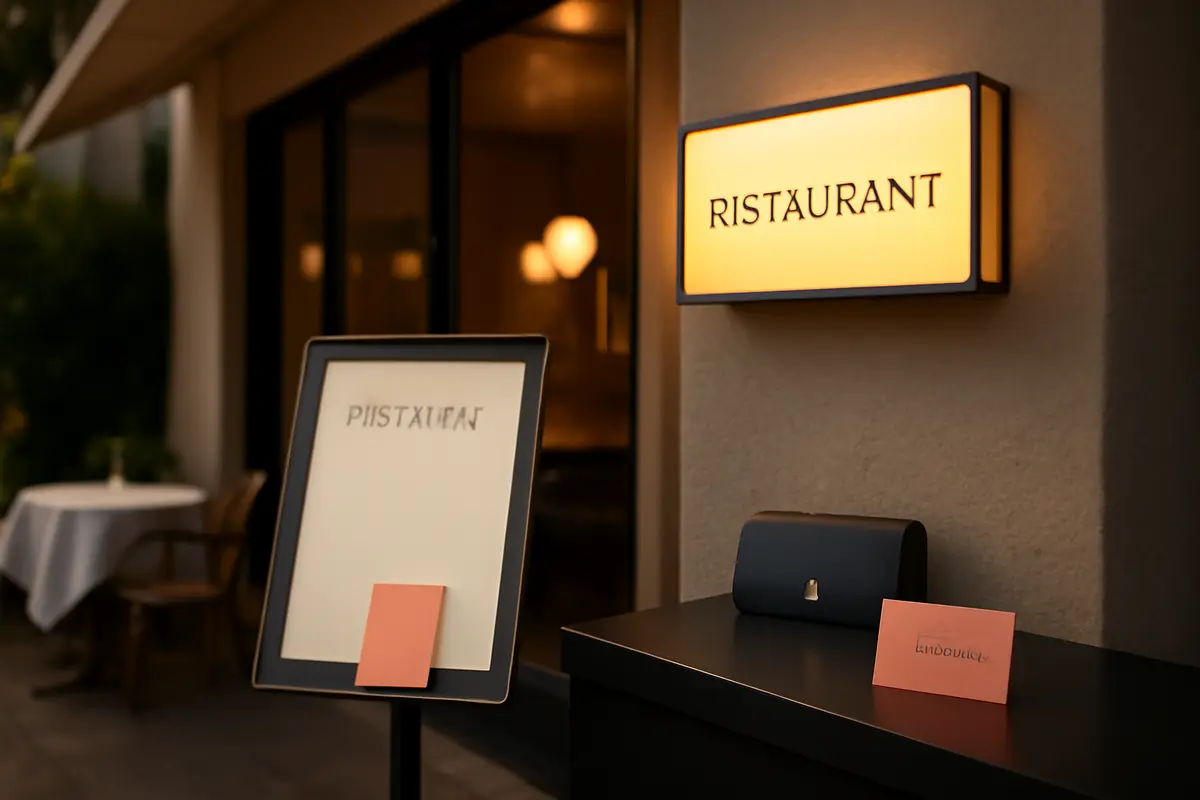
If you are thinking about using a custom domain for your restaurant's menu, you are probably not just looking for "a pretty link." You want the customer to scan the QR code and see an experience that is consistent with your brand, without jumping to a strange URL, without insecure browser warnings, and without that feeling of "this is run by some random platform." In hospitality, trust is established in seconds: a generic URL may seem minor, but it affects the perception of quality, the credibility of the business, and, in many cases, how Google understands the relationship between your website and your menu.
What it means to have a custom domain for the digital menu
Having a custom domain means that your online menu is published under an address linked to your business, for example menu.yourrestaurant.com or yourrestaurant.com/menu. Instead of sending the customer to a long and generic URL from the provider, the experience happens within your digital identity.
This is what is often called a white-label approach: the technology may be supported by an external platform, but the end customer navigates under your brand. Practically, the restaurant gains visual control, consistency, and a better professional perception.
It's not just an aesthetic issue. A menu on a custom domain makes it easier for your physical and digital materials to speak the same language: corporate website, table QR codes, Instagram, Google Business Profile, and paid campaigns. Everything points to the same name, not to five different links.
Real perception example
Compare these two URLs at a table:
- providerapp.menu/restaurant/48392?lang=en
- menu.casamarina.es
The second conveys branding, order, and immediate trust. In a business where an average bill can be €25 to €60 per diner, that difference in perception is not minor.
Why a generic link detracts from brand image
Many restaurants accept a standard link because "it works," but the problem is that it works without building brand. If the menu opens on a foreign URL, the customer does not remember your domain, does not reinforce your name, and does not associate the digital experience with the level of your establishment.
This is especially noticeable in three cases: restaurants with a premium offering, hotels with multiple dining points, and groups with more than one location. If the link seems third-party, the experience loses consistency. And when consistency falls, so does trust.
Additionally, a generic link complicates marketing actions. Sharing the menu via WhatsApp, including it in the Instagram bio, or printing it on a physical medium is more effective when the URL is simple, readable, and clearly yours.
Practical tip
A QR code with a shorter URL usually generates a visually cleaner and easier-to-scan code. In small print, a simple structure can reduce incidents at the table and save seconds for staff during each explanation.
Custom domain, customer trust, and more direct bookings
Digital trust has very concrete signals: recognizable name, fast loading, stable design, and security lock. When the customer enters the menu and sees your domain, they perceive that they are still in the official environment of the restaurant. That reduces friction.
That friction appears more often than it seems. Some users hesitate when they land on a website with mixed branding, foreign pop-ups, or a URL that does not match the business. On mobile, where the menu is consulted in seconds, any doubt penalizes.
The advantage is not limited to in-room consumption. A menu under your domain also improves the conversion of traffic coming from Google, social networks, or campaigns. If someone searches for dishes, brunch, daily menu, or wine list, a custom URL gives more legitimacy to the visit.
If you also integrate the experience with brand pages, product stories, allergen sheets, or upselling, the effect is greater. At that point, we are no longer talking about "a pretty PDF," but about an active commercial layer. You can see examples of structure in the functionalities of a well-designed digital menu.
Trust signals that users notice
- URL with the restaurant or hotel name
- Visible HTTPS without browser alerts
- Fast mobile design, without jumps or invasive banners
- Clear information on dishes, prices, and allergens
- Well-resolved languages for international customers
How it helps your restaurant's local SEO
Here it is important to be precise: having a custom domain does not position you by itself. What it does is create a much stronger foundation for local SEO. When your menu is under your domain, Google understands better the relationship between the restaurant, its content, and its authority signals.
This matters because much local search intent is related to the menu. Users searching for “menu Italian restaurant Salamanca neighborhood,” “brunch menu hotel Valencia,” or “paella price beach restaurant” want to see specific dishes. If that information is outside your domain, you miss out on part of the value of those searches.
With the correct architecture, your menu can contribute to the relevance of the main domain. It can also be linked from your Google Business Profile, from the homepage, from reservation pages, and from blog content. That coherence helps.
Additionally, if you work well on titles, meta descriptions, structured data, and associated content, the menu stops being just an operational tool and becomes an SEO asset. For businesses that manage sensitive information such as ingredients or regulations, it is also important to review the section on compliance and correct content publication.
What Google can index better
A menu in HTML under your domain usually offers more SEO value than an isolated PDF or an external URL without context. If you include categories, dishes, descriptive texts, location, and internal linking, the visibility potential increases significantly.
Subdomain or folder: which is more convenient
The two most common options are to use a subdomain like menu.yourdomain.com or a folder like yourdomain.com/menu. There is no single valid answer for everyone, as it depends on the technical stack and the control you have over your main website.
The folder is usually interesting when you want to concentrate SEO authority on the same domain and keep everything under a single structure. The subdomain, on the other hand, offers more technical flexibility and sometimes simplifies the connection with external platforms.
In hospitality, operational needs often dictate the choice: if you want to launch quickly and without too much alteration to the corporate website, the subdomain may be the cleanest route. If the SEO project is more developed and you have technical support, the folder can provide consolidation advantages.
Quick comparison
- Subdomain: more flexible deployment, useful for integrating external providers.
- Folder: better cohesion with the main website and, in many cases, better SEO utilization.
- Both: must load quickly, have SSL, and be well linked from the website and Google Business Profile.
How to connect yourdomain.com to your menu with SSL
The technical part often seems scarier than it should. In practice, connecting your domain to a digital menu involves configuring DNS records so that a specific URL points to the service that serves the menu. It is common to use a CNAME for a subdomain or a specific setting if working with the root or a folder.
Then comes a critical piece: SSL. The menu must load with HTTPS and a valid certificate. Otherwise, the browser may show security alerts or even block certain elements. In a table QR code, that is disastrous: just one warning of "not a secure site" can ruin the experience.
In a standard deployment, the technical connection can be ready in less than 30 to 60 minutes. However, DNS propagation can take between 4 and 24 hours, and with some providers, up to 48 hours. That's why it's advisable to plan it before printing QR codes or changing public links.
If you are working with a solution designed for hospitality like a guided connection of the domain and integrations, the process is significantly simplified: it reduces DNS errors, incomplete certificates, and poorly executed redirects.
Minimum technical checklist
- Define whether you will use a subdomain or folder
- Configure DNS correctly
- Activate SSL and check HTTPS
- Verify redirects without errors
- Test mobile loading on 4G and WiFi
- Review the final QR before printing
What a white-label menu should have to look professional
Publishing the menu on your domain is a big step, but it is not enough if the experience does not match. A well-executed white-label menu should respect your visual identity, have clear navigation, and offer useful information without forcing the customer to zoom in or download heavy files.
There are details that greatly enhance perception: well-integrated logo, consistent typography, optimized photos, visible categories, languages, filters for diets and allergens, and realistic loading speed. A menu that takes 4 or 5 seconds to open is already starting off on the wrong foot in the dining room.
It is also advisable for the menu to be prepared for real operational needs. For example, if you update dishes daily or need to show allergen information reliably, the platform must make it easy without relying on a designer or a new PDF every week. You can review how this is approached in the management of allergens in digital menus.
Signs of poor implementation
- The URL is yours, but the design shows more branding from the provider than yours
- A slow or hard-to-read PDF opens on mobile
- No HTTPS or insecure resources appear
- Images are too heavy, and the menu takes too long to load
- No clear linking with the official website exists
Common mistakes when implementing a custom domain
The first mistake is thinking that this is just "putting a URL." It is not. There is a technical layer, a branding layer, and an SEO layer. If one of the three fails, the result loses value.
Common mistakes: misconfiguring the DNS, forgetting the SSL, leaving the version without www and with www competing, using generic titles like “Menu” on all pages, or not linking the menu from the main website. It is also common to print QR codes before verifying the final URL.
Another very common mistake is not measuring. If you do not know how many visits the menu receives, which categories are consulted the most, or what languages your customers use, you lack data to improve. In menus with AI and analytics, like those proposed in more advanced experiences for hospitality, this can become a source of useful operational decisions.
Cost of doing it wrong
A print run of QR codes reprinted for 40 tables, outdoor menus, displays, and hotel rooms can easily exceed €150 to €300. If there are also service issues or poor customer experience, the real cost is much higher than the technical one.
When it is worth taking this step and how to calculate the return
If your restaurant moves volume, cares about branding, or captures direct traffic, it is almost always worth it. You don't have to be a large chain. An independent establishment with an average ticket of €30, good turnover, and a well-developed identity can already notice the impact on perception, usability, and positioning.
The return is not measured only in SEO. It is measured in less friction in the dining room, more brand coherence, better QR opening rates, and easier sharing of the menu on direct channels. Also in time: updating a centralized digital menu can save 2 to 6 hours a month compared to manual processes with PDFs and scattered submissions.
If you are comparing options, it is reasonable to evaluate custom domain, SSL, white-label capability, analytics, allergen management, and ease for the team. In the comparison of plans and costs, you can determine which functionalities make sense according to the size and operation of the business.
For many restaurants, the best time is before renewing physical supports, updating the website, or launching a new season. This way, you can take advantage of the change to align QR codes, local SEO, branding, and mobile experience in a single implementation.
Frequently asked questions
If you are considering publishing your menu with a custom domain, these are the questions that often arise before configuring the technical part, defining the final URL, and deciding if a white-label approach is advisable.
What is a custom domain for a restaurant's menu?
It is publishing your digital menu on a URL linked to your brand, such as menu.yourrestaurant.com or yourrestaurant.com/menu, instead of using a generic link from another platform. This reinforces the professional image and makes it easier for the customer to identify that they are still within the official environment of the business.
What is the difference between a subdomain and a folder for the digital menu?
A subdomain would be menu.yourdomain.com and a folder would be yourdomain.com/menu. The folder usually better concentrates the SEO authority of the main domain, while the subdomain offers more technical and management flexibility.
Does having the menu on a custom domain improve customer trust?
Yes, because the customer sees the restaurant's name in the URL and perceives brand continuity. Additionally, if the page loads with HTTPS and a well-designed layout, it reduces the feeling of entering an external or unreliable website.
Does a custom domain help the restaurant's local SEO?
It can help if the menu is indexable, loads quickly, and contains useful data such as dishes, location, hours, or languages. It also improves coherence between the website, the Google Business Profile, and the links you share.
Is SSL required to connect the digital menu to the domain?
Yes, it is essential to serve the menu with HTTPS using a valid SSL certificate. Without SSL, the browser may mark the page as not secure, which harms both user experience and trust and positioning.
How long does it take to connect a custom domain to a digital menu?
In many cases, the technical part can be resolved in less than 1 hour, but complete DNS propagation can take between a few hours and 24-48 hours. The actual time depends on the domain provider and whether there are redirects or previous configurations.
Is it better to use a short URL for the menu QR code?
Yes, because a short and clear URL facilitates reading, improves brand appearance, and reduces errors when sharing via WhatsApp, social media, or email. Additionally, it helps make the QR code cleaner and easier to scan.
Can the platform's branding be hidden in a white-label menu?
Yes, in a white-label solution, the experience can be displayed under your domain and your visual identity, without exposing a generic provider link. This gives more consistency to the brand, especially in mid-high ticket restaurants, hotels, and groups.
What common mistakes occur when setting up a custom domain for the menu?
The most common mistakes are misconfiguring the CNAME or A record, not activating SSL, leaving broken redirects, or not reviewing the mobile version. It is also common to forget SEO titles, structured data, or links from the main website.
In summary: using a custom domain for your restaurant's menu is not a technical whim, but a decision about branding, trust, and local visibility. If you want to compare how this piece fits into a broader solution, you can continue with this guide on what the best digital menu with AI should have in 2026.