Kanban kitchen order management for restaurants: kitchen on screen
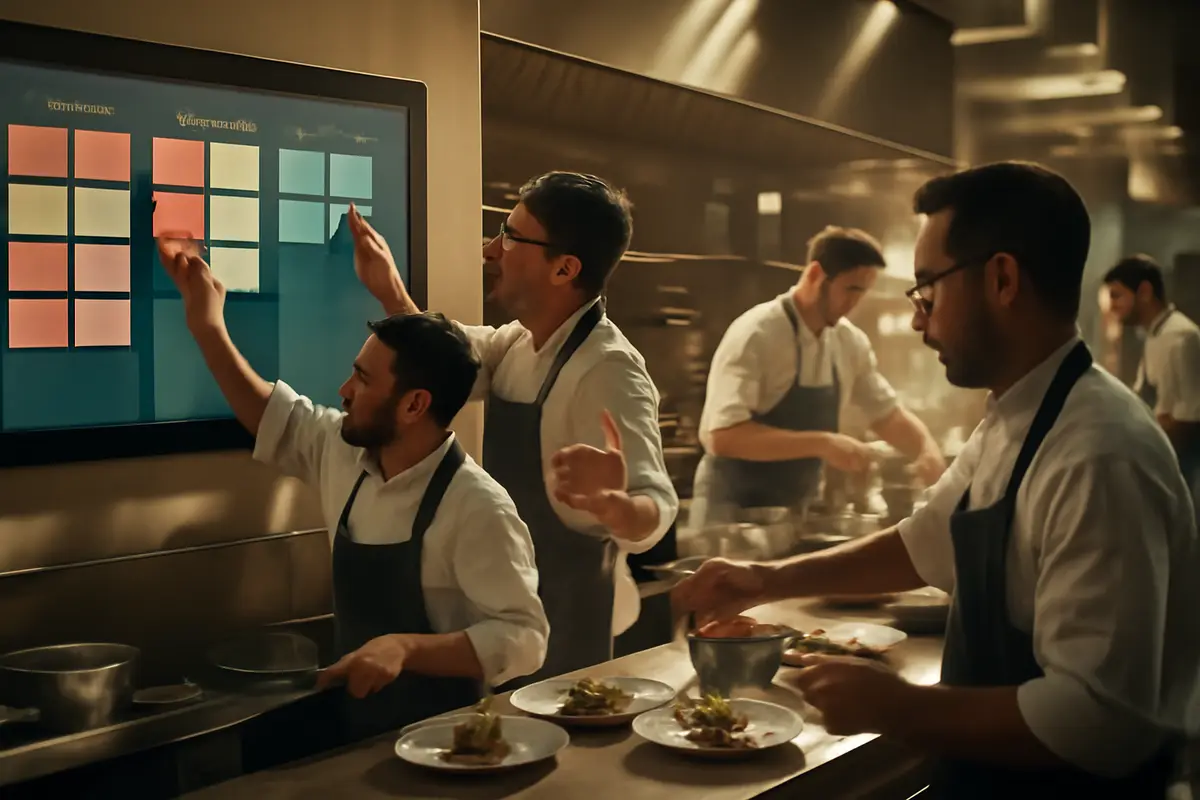
During peak hours, losing an order or not knowing which one goes first costs time, money, and patience. With the new restaurant kitchen order kanban, you can now see all orders on a single screen, receive alerts when a new order comes in, and visually move each order from new to in preparation and ready. The result is a more organized kitchen, fewer mistakes, and a better service flow.
What is the real-time kitchen kanban
It’s a visual board designed for the kitchen. Instead of relying on loose tickets, papers, or crossed messages, you can now focus the service work in a clear, always updated view that’s easy for the whole team to understand.
Each order appears on the screen as soon as it arrives. The team immediately sees what just came in, what’s being prepared, and what’s ready to go out. This way, the kitchen works with a clearer sequence and the front of house knows better when to pick up each dish.
If you already use the IAMenu features ecosystem, this new tool fits especially well when you want to gain control during busy times without complicating daily operations.
What matters in the kitchen: seeing status instantly
An order that appears immediately prevents one of the most costly service issues: the forgotten order. When the whole team shares the same screen, priority no longer depends on memory or a misplaced paper.
How it works in daily service
The operation is straightforward. When an order comes in, it automatically appears in the new column and the kitchen receives an audible alert. From there, any team member can start working on the order and move it to in preparation. When the order is finished, it moves to ready.
Everything happens in real time, with a very visual logic. There’s no need to explain long processes to the team: just look at the screen to understand what’s pending and what can already go out. This makes adoption quick, even in teams with turnover or weekend reinforcements.
- New orders are visible as soon as they arrive.
- An alert helps ensure no order goes unnoticed.
- Orders move through statuses simply and visually.
- Multiple cooks can work simultaneously on the board.
- Fullscreen mode improves visibility at the kitchen pass.
If you also want to better connect operations between customer service, orders, and internal flow, you can check other related options in Conecta, where the goal is to improve information flow across your business.
What your restaurant gains with this board
The main benefit is operational clarity. When the kitchen knows exactly what has come in and the status of each order, the service gains consistency. This translates into less internal tension and a better experience for the end customer.
It also improves work distribution. Instead of relying on a single person who verbally organizes or hands out tickets, several cooks can take orders at the same time seeing the same information. This is very useful in kitchens with multiple stoves, stations, or a busy pass.
Additionally, the board helps reduce three common problems:
- Lost orders: the order remains visible until it’s completed.
- Duplicates: the order status clearly shows if it’s already being prepared.
- Bottlenecks: the team quickly detects where work is piling up.
Before: paper tickets, calls between front of house and kitchen, doubts about whether a dish was already underway.
Now: a shared screen, visible statuses, and a clear work queue for the whole team.
A real example during peak hours
Imagine a Friday at 9:30 PM. Several orders from the floor come in almost simultaneously, a large table is added, and there are also pending pickups. Without a common view, the risk is clear: one order gets buried under another, someone asks three times about the same dish, and the kitchen loses focus.
With the board on screen, new orders appear in a column visible to everyone. One cook takes two orders and moves them to in preparation. Another handles the next ones. When the dishes are finished, the orders move to ready and the pass knows what can go out without chasing anyone for confirmation.
This small visual change has a big effect: fewer interruptions, fewer repeated questions, and more capacity to keep up the pace even when pressure rises.
Especially useful if your team works by zones or stations
When there are several cooks at once, seeing the status of each order on a common screen prevents overlaps and improves coordination. The team decides faster who takes each order and what should go out first.
Designed for a more organized kitchen, not a more complicated one
A good operational tool shouldn’t add unnecessary steps. That’s why this board relies on a simple dynamic: see, act, and update status. Nothing more. The goal isn’t to fill the kitchen with screens, but to provide visual order to what’s already happening during service.
It also helps professionalize operations for businesses that are growing. If you’re moving from manageable volume to high-intensity moments, having clear processes becomes as important as product quality. And if your menu changes frequently or you want to better coordinate menu, orders, and service, you might also want to check out use cases or complementary features like Gaston.
Frequently Asked Questions
Here are quick answers to the most common questions about the real-time kitchen board and how it can fit into your restaurant’s daily operations.
What is the restaurant kitchen order kanban?
It’s a kitchen screen board where orders appear in real time and are organized by statuses like new, in preparation, and ready. It helps the team see what to do at any moment without relying on papers.
What types of restaurants is this order board suitable for?
It’s suitable for bars, restaurants, cafés, hotels, and businesses with table service, terrace, or pickup. It’s especially useful when several orders come in at once and work needs to be clearly distributed.
Can it be used by multiple cooks at the same time?
Yes. Multiple team members can manage orders simultaneously and move orders as service progresses. This helps distribute the workload better and everyone sees the same updated status.
What benefits does it bring during peak hours?
It reduces forgotten orders, improves visibility of pending work, and speeds up coordination between kitchen and front of house. During high volume moments, having a clear view prevents bottlenecks and mistakes.
Is technical training required to use it?
No. The operation is visual and simple: orders appear on screen, an alert sounds, and the team moves them from one column to another. Staff understand the flow in just a few minutes.
If you want a more visible, more organized kitchen that’s ready for peak hours, discover all the possibilities in our features.