Generate Restaurant Menu PDF: 10 Pro Templates
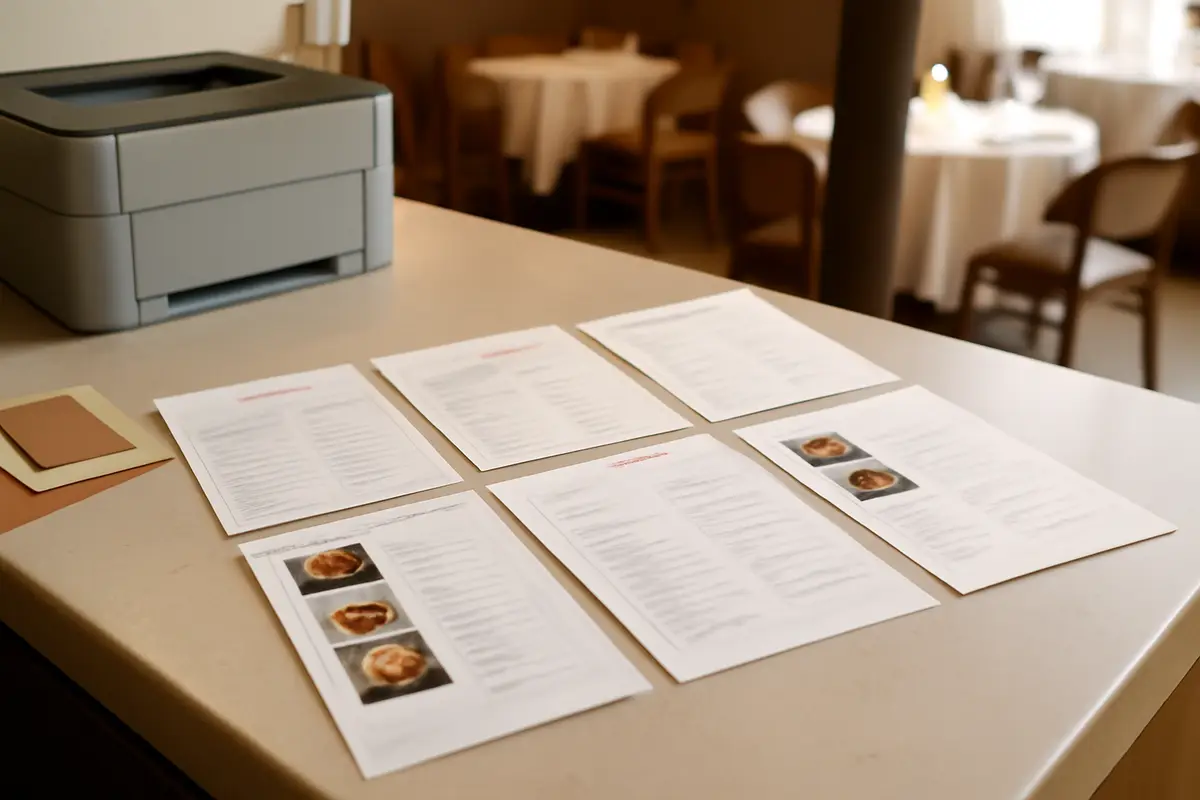
If you've ever wanted to generate a restaurant menu PDF without reformatting the entire menu, you know how much time is wasted copying dishes, rearranging prices, adjusting fonts, and checking that everything looks presentable for printing. When the digital menu is already well done, recreating it for paper shouldn't be another project. That's why you can now transform your menu into a professional-looking printable PDF in just a few steps, maintaining your business's style and without starting from scratch.
What the new PDF generator for your menu is
This new feature allows you to convert your digital menu into a print-ready menu with 10 professional design templates. The idea is simple: you use the content you already have in your menu and choose how you want to present it on paper, resulting in a clean, coherent format ready for dining rooms, terraces, rooms, or counters.
Instead of relying on improvised designs or documents that get misaligned, you can now produce a printed version of your menu with better visual presence and more control over what you display. This is especially useful if you work with daily menus, time-specific menus, or different versions for events, bars, or hotel rooms.
The key point in one sentence
You can now create a printed menu with 10 templates, 5 fonts, and options to show only the information you really need in each version of the menu.
Generate a restaurant menu PDF in your style, not with a generic template
One of the most common problems with printed menus is that they seem disconnected from the rest of the brand. The digital menu goes one way, the website another, and the printed menu ends up being a document without personality. With this generator, the design automatically inherits your brand colors, so the result feels much more coherent with your restaurant's image.
Additionally, you can choose from five fonts and adjust the structure in configurable columns. This gives you room to adapt the menu to the type of establishment: a more subdued proposal for a hotel, a visual menu for a café, or a more straightforward format for a bar with high turnover.
If you already use your digital menu as a central hub, this new feature helps you make better use of the same work. You don't duplicate tasks: you reuse content and turn it into a more professional printed piece. If you want to see how it fits within the overall set of menu tools, you can visit all the functionalities.
How it works in practice
The goal is not for you to design more, but to decide better. Once you have your menu, you can choose a template and customize which elements you want to appear in the final PDF. This way, you adapt the printed output according to the actual use of that version.
- Choose one of the 10 templates based on the style that best fits your business.
- Select the font that best represents your brand.
- Adjust the number of columns to give more space or condense the information.
- Show or hide elements such as prices, descriptions, allergens, QR codes, or photos.
- Download the result in an image version or an editable version.
This level of control is useful because the same menu doesn't always need to show everything. For example, in a version for a display, you might want to show dishes and QR codes, but not photos. In a table menu, you might prefer to keep prices, descriptions, and allergen notices visible. If you want to reinforce the informative part of your menu, you can also learn how we handle allergens in the menu.
Before: updating the digital menu and then recreating the printed menu by hand, in another file, risking errors and wasting time.
Now: you update your menu just once and generate a professional printed version in minutes, with the content already prepared and a more consistent design.
What your restaurant gains by printing better
The advantage is not just aesthetic. A clearer and more professional printed menu improves readability, instills more confidence, and reduces the feeling of improvisation. When the design supports it, the customer finds what they're looking for more quickly, and the dining experience starts off better.
You also gain internal agility. If you make seasonal changes, price adjustments, or create special versions, you don't have to redo documents over and over again. This is especially noticeable in businesses with multiple menus: breakfasts, drinks, room service, main menu, or daily specials.
- You save time by not duplicating work between digital and printed.
- You reduce errors because you start from already updated content.
- You improve the image of the establishment with a more polished menu.
- You adapt each version of the menu according to the channel or moment.
- You better protect your design if you choose the image download.
And if in your operations you already connect menu, orders, or service management, this improvement fits naturally with other areas of the business. You can explore more options in Conecta or see examples by type of business in use cases.
A concrete example: one menu, several useful versions
Imagine a restaurant that needs three different outputs of the same menu. The first, a table menu with prices, descriptions, and allergens. The second, a more visual version for an entrance stand. The third, a simple format for rooms or internal delivery in a hotel.
With this generator, there's no need to create three documents from scratch. You can start from the same content and change only the presentation:
- Version 1: full menu with prices, descriptions, and key notices.
- Version 2: promotional menu with visible QR code and less text.
- Version 3: compact menu in columns for small spaces.
The result is a more organized operation and a more uniform presentation. What used to require touching several files is now resolved by reusing the same base and fine-tuning what you want to show in each case. For restaurants and hotels looking for a more polished menu without complications, this change has an impact from the first use.
Two download formats for two real needs
Image version: ideal for sharing or printing with a more visually protected presentation.
Editable version: designed for those who want to make additional adjustments before printing.
Frequently Asked Questions
Here are the most common questions about how to use this generator to create a printed menu with better presence and less manual work.
Can I generate a PDF of my restaurant menu without designing it from scratch?
Yes. You can now convert your digital menu into a professional PDF using pre-designed templates, without having to format the menu from scratch.
Does the PDF maintain my brand's colors and style?
Yes. The generator automatically takes your brand's main colors so that the printed menu maintains a coherent image with your restaurant.
Can I choose what information appears in the PDF?
Yes. You can decide whether to show or hide prices, descriptions, allergens, QR codes, and photos depending on the type of menu you want to print.
Can the menu be downloaded in both editable and protected PDF?
Yes. You can download an editable version to make adjustments if needed and another version in image format, designed for sharing or printing with greater visual protection.
Is this generator suitable for restaurant, bar, and hotel menus?
Yes. It is designed for hospitality businesses such as restaurants, bars, cafés, and hotels that need a printed menu with a professional appearance.
If you want to see how this new feature fits with the rest of the tools for your digital and printed menu, check out the features page.