QR Menu for Bars and Pubs: Happy Hour and Sold-Out Items in an Instant
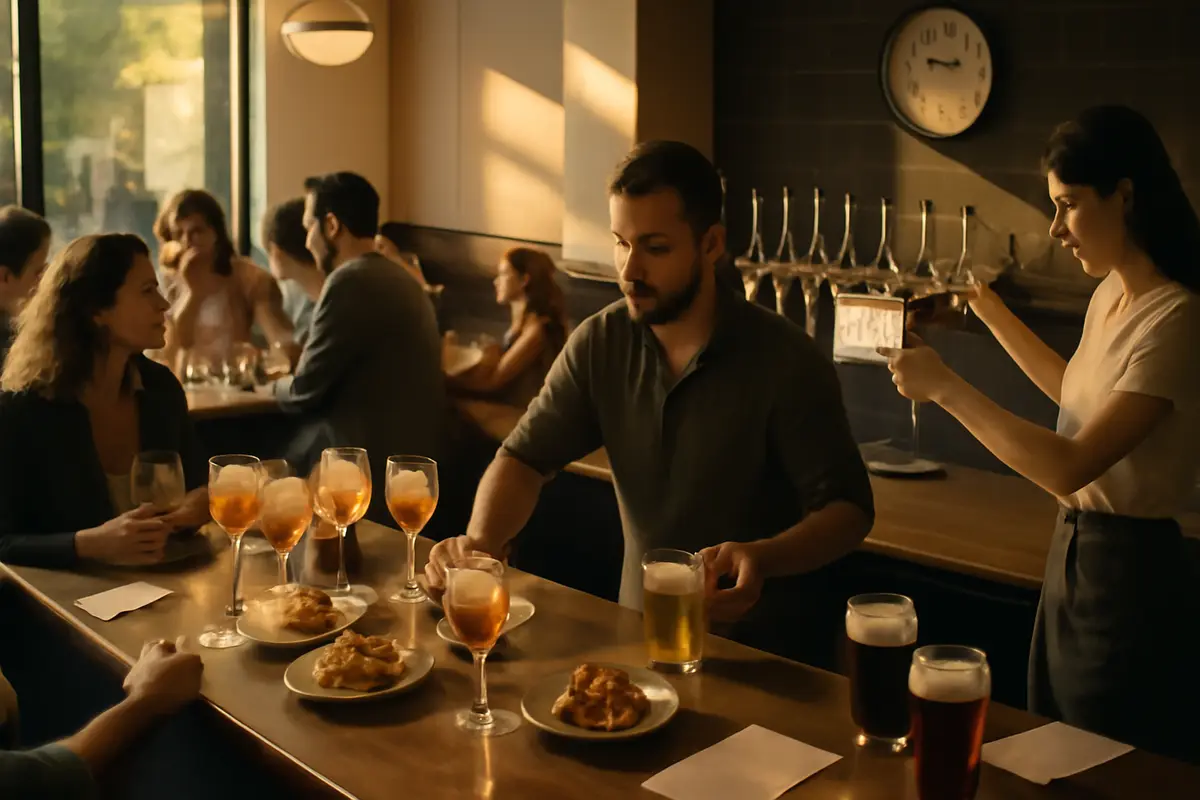
A QR menu for bars and pubs doesn’t just solve the problem of “having the menu on a phone.” It solves something much more urgent: prices that change by time slot, cocktails that come and go, kegs that run out in the middle of the afternoon, and tapas that disappear just when the bar fills up. In a high-turnover venue, every availability error or outdated menu leads to wasted time, happy hour disputes, and sales that cool off. If your operation changes several times a day, your menu needs to change at the same pace.
Why a bar needs a menu that changes in minutes, not weeks
In a restaurant with a stable menu, a printed menu may be good enough. In a bar or pub, that’s not always the case. Here, turnover, time of day, and the actual restocking situation at the bar are what matter. Today you have 4 IPAs; by 9:30 p.m., there are 2 left. Happy hour starts at 6:00 p.m.; by 8:01 p.m., it’s over. On Friday you offer 2-for-1 mojitos; on Saturday you promote beer buckets and sharing tapas.
When the menu doesn’t reflect those changes, three costly problems appear: impossible orders, pricing errors, and team fatigue. The server has to explain the same thing at table after table, the bar corrects tickets, and the customer perceives disorganization. A well-designed digital menu avoids that friction because it turns the menu into an operational tool, not just a visual one.
An operational detail that is often overlooked
If a 60-table bar receives just 15 repeated questions per hour about prices, sold-out items, or promotions, and each response takes 20–30 seconds, that adds up to between 5 and 7.5 minutes per hour spent on information the menu could provide on its own.
Over an 8-hour shift, that equals 40 to 60 minutes of recoverable operational service time, precisely when it is needed most.
Time-slot happy hour without pricing errors
Happy hour works because it creates urgency. The challenge is managing it properly. Many bars announce “from 6:00 p.m. to 8:00 p.m.” on a chalkboard, social media, or signage, but the printed menu continues to show a single price. The result: questions, complaints, and corrected tickets at the register.
With a QR menu, you can make sure customers see the correct price based on the time. That makes a big difference operationally. There’s no need to remember which promotion is active or check whether it still falls within the time slot. The menu displays it directly and reduces arguments like “but the sign said €6.”
You can also segment offers into simple blocks: classic cocktails, selected pints, specific tapas, or premium mixed drinks with a partial discount. If you want to review how to structure a dynamic menu, the features of a digital menu provide a clear overview of which areas are worth automating first.
Realistic example of a time slot:
- Mojito: €8 regular price
- Happy hour from 6:00 p.m. to 8:00 p.m.: €6.50
- Lager pint: €5.20 regular price
- Happy hour: €4.50
- Patatas bravas: €7 regular price
- Afternoon combo with a drink: €9.90
If those prices change automatically according to the time slot, you eliminate the classic gap between the advertised promotion and the price charged.
How to manage sold-out items instantly in beers, spirits, and tapas
In bars and pubs, running out of an item isn’t an exception: it’s part of daily service. A keg runs dry, the croquettes sell out, a syrup is missing, or a gin brand you expected to have all night breaks. The problem isn’t running out of a product; the problem is continuing to sell it on the menu.
A QR menu lets you hide, mark as unavailable, or move a sold-out product to the end of the list. The operational difference is huge: the customer doesn’t get excited about something that doesn’t exist, and staff avoid repeating “I’m sorry, we’ve just run out of that” 30 times.
This is especially important on terraces, in late-night pubs, and in venues with heavy tourist traffic, where part of the order is decided through visual impulse. If a product isn’t available, it’s better to remove it within seconds and promote a similar alternative with a comparable margin.
A small change, a direct impact
Imagine that a craft stout sells out at 10:15 p.m. If you leave it visible and 12 more people order it during the night, you create 12 small disappointments, 12 explanations, and several reopened purchase decisions.
If you hide it immediately and highlight a nearby alternative, you turn the problem into an orderly substitution and keep the bar moving.
More sellable cocktail menus: less listing, faster decisions
Many bars lose cocktail sales for one simple reason: the menu is written like an inventory list, not a decision-making tool. A long list of names without context makes customers take longer or fall back on their usual choice. In a QR menu for bars and pubs, structure matters just as much as design.
What usually works best is dividing the menu into clear sections: classics, signatures, spritzes, alcohol-free options, premium cocktails, and seasonal recommendations. Adding a short description helps much more than a long paragraph: the base, flavor profile, and one differentiating detail. For example: “citrusy and fresh,” “drier,” “fruity,” or “intense.”
It’s also worth highlighting 3 or 4 strategic options, not 12. When everything is marked as “recommended,” nothing stands out. Pages such as use cases by business type show clearly how the logic differs between a gastrobar, a late-night pub, or a terrace focused on afternoon drinks.
Recommended structure for a cocktail menu:
- Classics: Mojito, Margarita, Negroni, Espresso Martini
- House cocktails: 3 to 5 signature cocktails
- Spritzes and aperitifs: light options for afternoon drinks
- Alcohol-free: 2 to 4 well-defined mocktails
- Premium: a short section with a higher average ticket
With this organization, customers decide faster and the menu better supports the occasion.
Draft and bottled beers: how to organize the selection without overwhelming customers
With beer, the problem usually isn’t a “lack of options,” but too many options presented poorly. When a menu mixes lagers, IPAs, stouts, sours, international bottles, and alcohol-free options without a clear structure, customers get stuck. And the longer they take to decide, the more the queue or table suffers.
A good QR menu first separates options by format: draft, bottle/can, and alcohol-free. Then it organizes them by style or intensity. And if you have a high turnover of guest taps, it’s essential to be able to update the origin, ABV, format, and availability on the fly. This prevents the menu from becoming a graveyard of products that no longer exist.
You can also use simple labels: “light,” “bitter,” “fruity,” and “roasted.” There’s no need to write a full tasting note for each one. The goal is to guide customers in 5 seconds.
Recommended order for selling more beer
Start with the easiest options to choose: the house lager, the best-selling pint, and the alcohol-free option. Then show the craft or rotating selections. In many venues, this simple hierarchy improves decision speed and reduces questions like “which one do you recommend if I don’t want anything too strong?”
Tapas, portions, and sharing: the part of the menu that drives average ticket value the most
If drinks come first at your bar, profitability is often boosted through tapas and sharing dishes. But for that to work, the menu needs to make good suggestions. An alphabetical list of dishes isn’t enough. You need to think about context: what pairs best with a round of drinks, what comes out quickly, what has the best margin, and what is worth promoting during quieter hours.
A useful strategy is to create sections such as “for sharing,” “ready fast,” “best with beer,” or “ideal for 2–3 people.” This turns an isolated decision into a combined sale. You can also highlight products with strong contribution margins, such as patatas bravas, nachos, chicken fingers, or simple sharing boards, without forcing the team into a sales pitch.
And if you manage sensitive ingredient information, it’s worth reviewing how to display it properly in digital menu allergen management. For tapas with sauces, breading, or mixed ingredients, this clarity prevents many service errors.
Simple example of a tapas section design:
- For sharing: nachos, patatas bravas, wings
- Ready fast: olives, gildas, edamame, chips
- Best with beer: chicken fingers, torreznos, mini burgers
- Top-margin items: loaded potatoes, tequeños, croquettes
When the menu suggests a consumption context, cross-selling happens with less effort from staff.
High turnover: fewer repeated questions, faster service
In a pub with afternoon drinks, after-work service, or busy weekends, the bottleneck is rarely just one thing. It’s the combination: explaining promotions, answering questions about mixed drinks, confirming which keg is still available, repeating which tapas are left, and clarifying allergens. Together, it overwhelms the operation.
A well-planned QR menu doesn’t replace the team, but it does remove a significant amount of repetitive information from their workload. That frees up time for what really adds value: making recommendations, selling more effectively, and handling issues. If customers can also access the menu quickly from their table, the bar, or the terrace, the wait feels shorter.
With tools such as the system’s integrations and connections, the goal isn’t to “have more technology,” but to reduce manual tasks that are repeated every shift.
A simple calculation of recovered time
If a server avoids 25 repetitive interactions per shift because the menu already shows prices, availability, and basic details, and each interaction lasts 15 seconds, they recover more than 6 minutes.
Multiply that by 3 front-of-house employees and 2 busy shifts per week: you already have a tangible improvement without changing your staffing levels.
Compliance, allergens, and clear information during peak pressure
In a packed bar, incomplete information comes at a high cost. Not just in terms of customer experience, but also safety and compliance. Tapas may seem simple, but they often contain many allergens: gluten, eggs, dairy, mustard, nuts, or sulfites in sauces and marinades.
Displaying this information clearly in the QR menu helps staff respond more effectively, even when the venue is at full capacity. It doesn’t replace internal procedures, but it does reduce improvisation. And if you want to review regulations and best practices, you can explore compliance and document control in more detail.
For drinks, it’s also worth being clear about ABV, sizes, and extras. In cocktails and mixed drinks, a precise menu prevents misunderstandings about premium supplements or double measures.
Useful minimum information for a pub or bar:
- Product name and updated price
- Brief, clear description
- Allergens in tapas and portions
- Format or size: glass, pint, small bottle, portion, half portion
- Real-time availability status
How much does it cost not to update your menu on time?
Sometimes people compare a QR menu only with the cost of printing menus. That’s too narrow a comparison. The real cost of an outdated menu includes billing errors, wasted time, lost sales, and reduced customer trust. In a high-volume bar, that weighs more than the printing bill.
Do the simple math. If failing to highlight a high-margin tapa means you sell 8 fewer per day, and each one contributes €2.50, you’re losing €20 per day. Over 26 days of operation, that’s €520 per month. If you also have to correct 2 or 3 happy hour tickets every night, the operational cost continues to rise.
That’s why it’s worth evaluating not just the tool, but the operational return. On the pricing page, you can better compare the cost with the time and sales recovered through a well-used digital menu. And if you want a broader market reference, this comparison of AI-powered digital menus may also be useful.
How to implement a QR menu in a bar without complicating things for the team
Implementation works best when it follows the logic of a shift, not an office. First: organize real sales categories. Second: upload prices and short descriptions. Third: define which promotions change by time of day. Fourth: decide who updates sold-out items and where they do it.
In a small bar, 4 well-maintained sections are enough: drinks, cocktails, beers, and food. In a more complex venue, you can divide things further, but avoid overcategorizing. The more unnecessary layers the menu has, the slower it will be for customers.
The important thing is for updates to be so simple that the team actually uses them. If changing a sold-out IPA takes 20 seconds, it will get done. If it takes 10 steps, you’ll go back to working with the bar saying, “we’re out of that.” That’s where solutions like iaMenu make sense: not because they’re new, but because they reduce friction in an operation that changes every few hours.
Frequently asked questions
If you’re considering implementing a QR menu in your bar or pub, these are the most common questions when you have happy hour, high turnover, and constantly changing availability.
What are the advantages of a QR menu for bars and pubs compared with a printed menu?
The main advantage is instant updating. A bar can change happy hour prices, hide sold-out products, and highlight mixed drinks or tapas in less than a minute, without reprinting menus or relying on staff to remove outdated ones.
Can different prices be scheduled for different time slots?
Yes. A properly configured QR menu can display active promotions by time, for example from 6:00 p.m. to 8:00 p.m., and automatically return to the regular price outside that time slot. This prevents billing errors and disputes on the floor.
How does a QR menu help manage sold-out products?
It lets you hide or mark a beer, tapa, or spirit as unavailable instantly. This means customers don’t order something that has already run out, and the team makes fewer unnecessary trips between the bar, kitchen, and table.
Can a QR menu also be used for cocktails and mixed drinks?
Yes, and it often works particularly well. You can separate classics, signatures, alcohol-free options, premium drinks, and gin and tonics, while adding short descriptions, key ingredients, and photos to encourage impulse purchases.
Is a QR menu useful in high-volume, high-turnover bars?
Very much so. During peak hours, when tables turn over quickly and staff are stretched, having an updated menu on the customer’s phone reduces repetitive questions and speeds up purchase decisions.
Can higher-margin tapas or beers be highlighted?
Yes. A digital menu lets you place strategic products first, label recommendations, and create sections such as 'most ordered' or 'ideal for sharing.' This helps improve average ticket value without putting pressure on the customer.
What about allergens in a QR menu for bars and pubs?
They can be displayed clearly for each tapa or dish, which is essential if you offer options containing gluten, nuts, eggs, or dairy. It also helps staff respond more confidently when the venue is busy.
How long does it take a bar to implement a QR menu?
It depends on the size of the menu, but a simple initial setup can be ready in a few hours. If you already have your list of drinks, tapas, prices, and schedules, the launch is usually quick.
Does a QR menu completely replace the server?
No. Its role is to remove operational friction and improve the information available to customers. Service remains essential, but the team spends less time repeating prices, promotions, and availability details.
If your bar operates with changing schedules, time-based promotions, and products that sell out halfway through service, a static menu quickly falls short. A digital menu designed for hospitality businesses helps you sell in a more organized way, make fewer corrections, and provide better service precisely when the pressure is highest.